Productivity tips are small, repeatable changes to how you choose, start and protect your work so that more of your day goes to what matters. The ones with real research behind them fall into four groups: decide what matters the night before, make starting easy, protect your attention while you work, and look after your energy. They work best as one short daily loop, not as a pile of separate hacks.
This guide gives you 12 tips arranged as that loop, a typical day, a minimum version for bad days and a one-week plan to start. It also checks five popular productivity "facts" against the studies they come from, because several of them do not say what the internet says they do.
Key takeaways
- Pick three outcomes for tomorrow before you stop today, and turn each one into an if-then plan. If-then planning has a reliable, moderate effect on reaching goals across hundreds of tests.
- Write down the very next physical step of anything unfinished. In lab studies, a concrete plan quieted the background thoughts that an open task creates.
- Protect focus blocks from notifications and switching. A notification you never answer can still pull your attention off a demanding task.
- Short breaks reliably help how you feel. They do not reliably raise output on hard work, so plan breaks for energy, not as a productivity trick.
- Run one simple loop for a few weeks before you add anything. Constantly collecting new tips and tools is a common way productivity systems fail.
Why most productivity tips don't stick
If you have tried Pomodoro, time blocking and a new app and none of them lasted, you are not unusual. In productivity forums the same complaints come up again and again: tips that work for two days, a to-do list that never ends, too many tools that don't talk to each other, and the feeling of being busy all day without moving the important work forward.
The pattern behind those complaints is simple. Each tip fixes one small piece, and nothing connects them. You plan but don't start, or you start but get pulled away, or you work hard until three o'clock and have nothing left. A system works because every piece covers a gap the others leave. That is why the tips below are grouped into four parts, and why the order matters.
The second reason is that improving the system becomes the work. A new template, a new tag structure, a new app: it feels productive and produces nothing. The rule for this guide is the opposite. Use the smallest version that works, keep it for at least three or four weeks, and change one thing at a time.
The system: 12 productivity tips in four parts
Part 1: Decide what matters
1. Choose three outcomes for tomorrow before you stop today. Not twenty tasks: three results that would make the day count, written as outcomes ("draft of the proposal sent to Sam"), not activities ("work on proposal"). A short list you finish beats a long list that turns into a daily record of failure. If you struggle to decide what makes the cut, our book Prioritize Your Life walks through choosing priorities that match your goals.
2. Turn each outcome into an if-then plan. "If it is 9:00 and I have my coffee, then I open the proposal file and write the pricing section." This is called an implementation intention. A 2006 meta-analysis of 94 independent tests found a positive effect on goal attainment of medium to large size, and a 2024 meta-analysis of 642 tests found effects from small to medium-large depending on the outcome, stronger when the plan used the if-then format, people were highly motivated and the plan was rehearsed. It is not magic, but it is one of the best-supported habits in this guide, and it takes thirty seconds.
3. Give every task more time than feels right. People predicting how long their own projects will take are reliably too optimistic. In the classic planning fallacy studies by Buehler, Griffin and Ross, predictions were too optimistic across several studies, and in one study the bias disappeared when people were asked to connect their estimate to how long similar tasks had taken them before. So before you put a task in your day, ask: how long did the last one like it actually take? Use that number.
Part 2: Make starting easy
4. Write down the next physical step of anything unfinished. Open tasks tend to keep pulling at your mind. In a set of lab studies, Masicampo and Baumeister found that letting people make a specific plan for an unfinished goal removed its effects on mind-wandering and on a later task. These were short lab studies, so treat it as a promising finding, but the practice is cheap: at the end of each block, write the next step ("open the spreadsheet, fill column C") where you will see it.
5. Make the first step almost too small. Starting is usually the hardest part. "Open the document and write one ugly sentence" is a step you will take on a bad day. Often, momentum does the rest. If starting is your main problem, our guide on how to stop procrastinating covers it in depth.
6. Put your hardest work in a fixed block, early. Time blocking means giving a task a slot on the calendar instead of hoping to fit it in. Put the most demanding outcome in your first block, before email and meetings fill the day. Our Ultimate Focus Block Setup Protocol covers what to do before, during and after a block, and our article on how to enter a flow state shows how to build a deep work session you can repeat.
Part 3: Protect your attention
7. Do one task at a time and batch the small stuff. Switching between tasks has a measurable cost. In lab experiments by Rubinstein, Meyer and Evans, alternating between tasks cost time on every switch, and the cost grew with more complex rules. Each switch costs only a fraction of a second in the lab, but they add up across a day. The American Psychological Association reports that Meyer has estimated brief mental blocks from switching can cost as much as 40 percent of someone's productive time. That figure is his estimate, not a measured result, but the direction is clear: group email, messages and small admin into one or two batches instead of answering as things arrive.
8. Turn notifications off during focus blocks. In a 2015 experiment by Stothart and colleagues, receiving a phone notification significantly hurt performance on an attention-demanding task, even when people did not touch the phone. It was one lab task, not a measure of a working day, but turning notifications off for a block costs nothing. Use do not disturb, close the chat app, and check messages between blocks.
9. Put the phone out of reach, for the right reason. You may have read that a phone on the desk makes you less intelligent even when it is off. That claim comes from a 2017 "brain drain" study, but a pre-registered replication in 2022 found no difference, and a 2024 meta-analysis of 33 studies found no significant effect of the phone's mere presence. The good reason to move it is simpler: out of reach, it can't buzz and it isn't one tap away. If the pull is strong, see our guide on how to break phone addiction.
10. Treat interruptions as a stress cost, not only a time cost. In a 2008 experiment by Gloria Mark and colleagues, interrupted people finished their tasks faster with no loss in quality, but reported more stress, frustration, time pressure and effort. In her field observations of information workers, most interrupted work was picked up again the same day, but only after more than two other activities. So you can push through interruptions, but you pay for it later in the day. Agree on quiet hours with your team, and keep a note pad to park thoughts instead of acting on them.
Part 4: Look after your energy
11. Take short breaks for energy, and longer ones after hard work. A 2022 meta-analysis of micro-breaks (10 minutes or less, 22 samples) found that they increased vigor and reduced fatigue, but the effect on overall performance was not significant, and performance improved mainly on less demanding tasks. The authors suggest demanding tasks may need breaks longer than 10 minutes. Stand up, look away from the screen, walk. A meta-analysis of acute exercise and cognition found a small positive effect, so a short walk is a reasonable break, mostly for mood and energy.
12. Protect your sleep before you optimize anything else. A meta-analysis of short-term total sleep deprivation (up to 48 hours without sleep) found the largest effects on simple attention and vigilance, the very thing focused work depends on, and smaller effects on reasoning. Short nights add up, and no planner makes up for them. A fixed wind-down and a morning routine that holds do more for productivity than most apps.
Five productivity "facts" that don't hold up
Many productivity articles repeat the same numbers. Here is what the original sources say, and what to do with them.
| The popular claim | What the source actually says | What to do instead |
| "It takes 23 minutes to refocus after an interruption." | The figure comes from a 2006 interview with Gloria Mark: interrupted work was resumed on average 23 minutes and 15 seconds later, usually after about two other tasks. It measures time until returning, not time to refocus. | Reduce interruptions, and expect that you will usually come back to a task after doing something else first. |
| "Multitasking costs 40% of your productivity." | An estimate by researcher David Meyer reported by the APA, not a measured result. | Batch small tasks; the per-switch cost is real even if the 40% is a guess. |
| "A phone on your desk lowers your brainpower." | The 2017 study did not replicate, and a 2024 meta-analysis found no significant effect. | Move the phone anyway, to avoid notifications and checking. |
| "Breaks boost your output." | Micro-breaks raise energy and lower fatigue; the effect on overall performance was not significant. | Take breaks to stay well over the day, not to squeeze out more work. |
| "Your brain works in 90-minute cycles." | The idea comes from Kleitman's rest-activity cycle; we could not find a trial showing 90-minute work blocks beat other lengths. | Use 60 to 90 minutes as a practical block length and adjust to what you notice. |
What about the Pomodoro technique?
Pomodoro (about 25 minutes of work, then a short break) helps some people start, and others find 25 minutes too short for deep work. In a 2023 study of 87 university students during real self-study, fixed breaks and self-chosen breaks led to no difference in effort or task completion, though fixed breaks came with mood benefits. Use the timer if it gets you started, and let the block run longer once you are in flow.
A typical day with the system
- Evening before (5 minutes): write three outcomes for tomorrow, each with an if-then plan and a realistic time estimate. Write the next step for anything you left open.
- First block (60 to 90 minutes): the hardest outcome. Notifications off, phone in another room, one task only.
- Short break: stand up, walk, water. No feeds.
- Batch 1 (30 minutes): email and messages, answered in one go.
- Second block: outcome two.
- Lunch and a real break: away from the desk.
- Afternoon: meetings, outcome three, Batch 2.
- Shutdown (5 minutes): next steps written, tomorrow's three outcomes chosen. The loop closes.
If you work from home, the same day works, but your space matters more. Our guide to a home office setup covers the environment side, and our article on how to stay focused helps you find what is stealing your attention first.
The minimum version for bad days
Some days the full loop won't happen. Keep three things:
- One outcome, not three.
- One protected block of 25 minutes with notifications off.
- One next step written down before you stop.
That keeps the loop alive, and it is easier to come back to a system you kept in a small form than to restart one you dropped. If bad days have become most days and rest no longer helps, that is a different problem: read our guide on how to recover from burnout. If your mind keeps looping on work at night, our guide to overthinking covers that.
Start in one week
- Day 1: track where your time goes, roughly, in 30-minute chunks. No changes yet.
- Day 2: look at the log. Find your best hours and your biggest leak.
- Day 3: start the evening routine: three outcomes, if-then plans.
- Day 4: add one focus block in your best hours, notifications off.
- Day 5: add the two message batches.
- Day 6: add breaks and the shutdown note.
- Day 7: review. What held? What felt forced? Keep what held and change only one thing for next week.
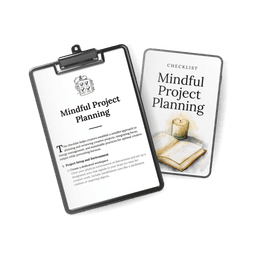
Time tracking is worth the effort mainly because it shows where the hours actually go. A 2021 meta-analysis on time management found time management in general moderately related to job performance and more strongly to wellbeing, though that kind of evidence shows a link, not proof that one causes the other. Our guide Reclaim 15 Hours of Your Time Each Week has the tracking categories, the "time thief" review and weekly templates. For planning bigger projects calmly, our free Mindful Project Planning checklist is a good first step.
Productivity tips: frequently asked questions
Why don't productivity tips work for me?
Usually because they are used one at a time and swapped often. A tip fixes one gap, such as starting or focus, and leaves the others open. Pick a small loop that covers deciding, starting, protecting focus and energy, and keep it for three or four weeks before judging it.
What is the single most effective productivity tip?
If you only change one thing, plan tomorrow's three outcomes the evening before as if-then plans. It combines prioritizing and starting, and implementation intentions are among the best-studied planning habits.
How long should I focus before taking a break?
There is no proven ideal length. Many people do well with blocks of 60 to 90 minutes for deep work and shorter ones for admin. Start with what you can sustain, and take a longer break after demanding work.
Is the Pomodoro technique effective?
It helps some people start and keeps breaks regular. In one study of students, fixed short breaks did not lead to more work done than self-chosen breaks, but they came with mood benefits. Use it as a starter, not a rule.
How can I be more productive working from home?
Give work a fixed place and fixed blocks, keep the phone in another room during focus time, and close the day with a written shutdown so work doesn't leak into the evening.
How do I stop being busy but not productive?
Measure outcomes, not hours. If at the end of the day none of your three outcomes moved, look at where the hours went. Usually messages and small requests filled the time that was meant for the important work, which is what batching fixes.
Do I need to wake up early to be productive?
No. What matters is putting your hardest work in the hours when you are most alert and getting enough sleep. For some people that is 6 a.m., for others 10 a.m.
How we put this guide together
This guide was written with AI assistance and edited by the AllMyGuides team. None of us is a doctor or psychologist. We built it from peer-reviewed studies and meta-analyses, opened each linked source to check that it says what we report, and noted where the evidence is weak, small or did not replicate. We also read recent discussions in productivity forums to understand which problems people actually run into. Reviewed in November 2026. This article is general information, not medical or professional advice.