Time blocking is a way of planning your day by giving every task a specific slot on your calendar, instead of working from an open to-do list. A to-do list says what to do. A time-blocked day also says when: 9:00 to 10:30 report draft, 10:30 to 11:00 email, and so on. The point is not to follow the plan perfectly. It is to decide in advance where your best hours go, so meetings and messages do not decide for you.
Below: how to time block in six steps, a template you can copy, how to keep the plan alive when the day falls apart, and what research does and does not say about it.
Key takeaways
- Time blocking turns tasks into appointments with yourself. Its strongest support comes from research on "when and where" plans, not from studies of time blocking itself, which we could not find.
- Schedules often break because the blocks are too full. A rule of thumb: plan about 60 to 70% of your day and leave the rest as buffer.
- Protect one block of focused work a day before you try to block everything.
- When the plan breaks, do not abandon it. Rebuild the rest of the day in two minutes.
- Block work, not fun. Scheduling leisure to the minute can make it feel like a chore.
What is time blocking?
With time blocking, your calendar becomes your to-do list. Each block has one job: a task, a group of similar tasks, or a type of work. Anything not on the calendar waits for a later block. The method was popularized by computer scientist and author Cal Newport, who calls it "the secret to my productivity" and sells a printed planner built around it (Cal Newport).
Time blocking vs timeboxing vs task batching vs day theming
| Method | What it means | Example |
| Time blocking | Give each part of the day a task or type of work | 9:00 to 10:30: write proposal |
| Timeboxing | Set a fixed limit for a task and stop when it ends | Slides get 45 minutes, done or not |
| Task batching | Group similar small tasks into one block | All calls and email in one 30-minute block |
| Day theming | Give each day of the week one main focus | Monday meetings, Tuesday writing |
They work well together. A typical time-blocked day uses all three: a long block for one important task, timeboxes inside it, and batches for the small stuff.
Why time blocking works
No study that we could find has tested time blocking itself against an ordinary to-do list. The case for it rests on research about planning:
- Deciding when beats deciding what. Plans that spell out "the when, where, and how" of a goal, called implementation intentions, had a medium-to-large effect on reaching goals across 94 tests in a meta-analysis (Gollwitzer and Sheeran, 2006). In a field experiment at a large company, employees prompted to write down a date and time for their flu shot had a vaccination rate 4.2 percentage points higher than a control group at 33.1% (Milkman et al., 2011). A time block is the same idea applied to your whole day.
- A plan quiets the mental noise. In lab studies, unfinished goals led to intrusive thoughts and worse performance on other tasks, and making a specific plan for them removed those effects (Masicampo and Baumeister, 2011).
- Fewer switches. Switching between tasks costs time, and the cost grows as the tasks get more complex (Rubinstein, Meyer and Evans, 2001). Part of your attention also tends to stay on the task you just left, an effect called attention residue (Leroy, 2009). Blocks reduce how often you switch.
Focus time is scarce for many people. In a Microsoft survey of 31,000 workers in 31 countries, 68% said they did not have enough uninterrupted focus time during the workday (Microsoft Work Trend Index, 2023). That is company research, but the pattern matches what most office workers describe.
How to time block your day in 6 steps
Step 1: Start with the fixed things
Open tomorrow on your calendar. Meetings, school pickup, lunch, a class: these are already blocked. What is left is the time you can actually plan. For many people it is less than they think, which is useful to know before you plan anything else.
Step 2: Pick the one task that gets your best block
Decide which task matters most tomorrow and give it your longest free stretch at the time of day you think best. Not sure which task? Our guide on how to prioritize tasks walks through it. Doing the task you most want to avoid in that first block is the idea behind eat the frog.
Step 3: Batch the small stuff
Email, chat, calls, forms and errands go into one or two batch blocks, for example 11:30 and 16:00. In a two-week study of 124 people, checking email three times a day for a week lowered stress compared with a week of unlimited checking (Kushlev and Dunn, 2015). Another study of 40 office workers found batching email was linked to higher self-rated productivity, but not to lower stress (Mark et al., 2016). So the evidence on stress is mixed, and the case for batching rests mostly on fewer switches.
Step 4: Size each block with real numbers
We tend to underestimate how long our own tasks take, a bias called the planning fallacy. In the original studies, the bias went away when people were told to connect their prediction to how long similar tasks took in the past (Buehler, Griffin and Ross, 1994). Before you size a block, ask: "How long did this actually take last time?" Then list the steps the task involves. Listing them often reveals work you forgot to count.
Step 5: Leave buffer and breaks
This is the step most people skip, and a common reason plans break early in the day. A rule of thumb: plan about 60 to 70% of your free time and leave the rest as open "overflow" blocks. Add short breaks between long blocks. A meta-analysis of micro-breaks found small but real benefits for energy and fatigue, while the effect on overall performance was not significant (Albulescu et al., 2022).
Step 6: Review at the end of the day
Spend five minutes before you stop: what got done, what moves, and what tomorrow's best block is for. Writing tomorrow's tasks down can also help you switch off. In a small sleep-lab study, young adults who wrote a specific to-do list before bed fell asleep faster than those who wrote about tasks they had finished (Scullin et al., 2018).
Time blocking template
Copy this into your calendar or a notebook and change the times to fit your day. Block names describe the purpose, so a block can move without losing its meaning.
| Time | Block | What goes in it |
| 8:30 to 8:45 | Plan | Check today's blocks, adjust for anything new |
| 8:45 to 10:45 | Focus block | Your one most important task. Notifications off. |
| 10:45 to 11:00 | Break | Stand up, water, walk |
| 11:00 to 11:45 | Batch 1 | Email, chat, quick replies |
| 11:45 to 12:30 | Meetings or second task | Calls, or a medium task |
| 12:30 to 13:30 | Lunch | Away from the screen |
| 13:30 to 15:00 | Second focus block or meetings | Shallower work if your energy dips after lunch |
| 15:00 to 15:45 | Overflow | Buffer for anything that ran over or came up |
| 15:45 to 16:30 | Batch 2 | Email, admin, errands |
| 16:30 to 16:45 | Shutdown | Review the day, set tomorrow's focus block |
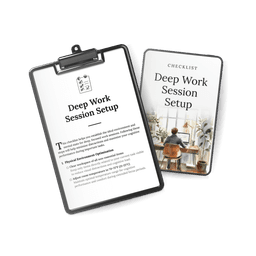
Our free Deep Work Session Setup checklist covers what to do in the ten minutes before a focus block so it starts well.
When your time-blocked day falls apart
It will. A meeting runs long, a client calls, a child gets sick. The plan was never a promise. Newport writes that his goal is not "a rigid plan I must follow no matter what," but to stay intentional about what he does with his time (Cal Newport). When a block breaks:
- Stop and look at what is left of the day.
- Move the most important unfinished block into the overflow time.
- Push or drop the least important block.
- Carry on. Two minutes of replanning beats a day of drifting.
If every day falls apart, the schedule is too ambitious, or your role is mostly reactive. Then block less: one focus block and two batch blocks a day is still time blocking.
Time blocking with meetings and colleagues
Meetings are the biggest threat to blocks. Programmer and investor Paul Graham described the problem in a well-known essay: people who make things need time "in units of half a day at least," and "a single meeting can blow a whole afternoon" (Paul Graham, 2009). A few things help:
- Mark focus blocks as busy on a shared calendar, with a name people understand, such as "Focus: Q3 report."
- Offer meeting windows. Tell colleagues when you are free for meetings, for example afternoons, so they do not have to guess.
- Cluster meetings back to back so they do not cut every block in half.
- Talk about it as a team. In a small Atlassian experiment with 59 employees, people who got calendar guidance spent 13% less time in meetings and blocked 49% more time for their own work over one week (Atlassian, 2023). That is one company's internal test without a true control group, but it shows the culture matters as much as the calendar.
Time blocking with ADHD
Calendars and task lists are central to a cognitive behavioral therapy program for adult ADHD that has been tested in randomized trials. The researchers who describe it write: "We consider the calendar and task list the foundation for subsequent skills and central to the entire treatment" (Sprich et al.). Adaptations that help:
- Fewer, shorter blocks. Three named blocks a day are easier to keep than ten.
- Visible time. A timer or a clock you can see makes the end of a block real.
- Transition buffers. Ten minutes between blocks to stand up, reset and start the next thing.
- Reminders. A calendar alert five minutes before each block starts.
For the wider system, see how to be productive with ADHD.
Paper or digital?
Both work. A digital calendar is better if your day is full of meetings, if colleagues need to see your blocks, or if you want reminders. Paper is better if you get pulled into apps the moment you open your laptop, or if you like redrawing the day by hand when it changes. Many people use both: meetings live in the digital calendar, and the day's blocks get sketched on paper each morning.
Time blocking mistakes and myths
| Mistake or myth | Better approach |
| Blocking every minute | Plan about 60 to 70% of free time and keep overflow blocks |
| Abandoning the plan after the first disruption | Rebuild the rest of the day in two minutes |
| Scheduling leisure to the minute | Keep fun loosely planned. In 13 studies, scheduling leisure made it feel more like work and less enjoyable, and planning it only roughly removed the effect (Tonietto and Malkoc, 2016). |
| "Elon Musk and Bill Gates plan their days in 5-minute blocks" | We found no reliable primary source for this, and Musk has reportedly replied on X that he does not do "this 5 minute thing." Blocks of 30 to 90 minutes are a more realistic start. |
| "Time blocking makes you twice as productive" | Newport has estimated that a 40-hour time-blocked week produces as much as 60 or more unstructured hours (Cal Newport). That is his personal estimate, not a study result, and it is not double. |
| "Work expands to fill the time available, so shorter blocks are always better" (Parkinson's law) | Parkinson's law began as a humorous 1955 essay in The Economist about government bureaucracy. Timeboxes can help, but too-short blocks just push work into tomorrow. |
Your first week of time blocking
- Day 1: Block only one focus block for your most important task.
- Day 2: Add two batch blocks for email and messages.
- Day 3: Add an overflow block in the afternoon.
- Day 4: Write down how long each block really took. Adjust tomorrow's sizes.
- Day 5: Add a five-minute shutdown at the end of the day.
- Weekend: Look at the week. Which blocks held? Move your focus block to the time it worked best.
Our Ultimate Focus Block Setup Protocol goes deeper into designing focus blocks, and Reclaim 15 Hours of Your Time Each Week helps you find the hours to block in the first place. For staying with the work once the block starts, see how to stay focused, and for deep, absorbed work, how to enter a flow state.
Frequently asked questions
How long should a time block be?
For focused work, many people start with 60 to 90 minutes. For batches of small tasks, 30 to 45 minutes. Start with what you can actually sustain and adjust after a week.
Is time blocking good for students?
Yes, and classes already give you the fixed blocks. Fill the gaps with study blocks for specific subjects and one batch block for messages and admin.
What is the difference between time blocking and a to-do list?
A to-do list tells you what to do. Time blocking also tells you when, and shows whether everything actually fits in the day.
What if I work in a reactive job?
Block less. Protect one focus block, keep the rest as open "reactive" time, and batch what you can. Even a partly blocked day gives you more control than none.
Should I time block weekends?
Block chores and errands if they help, but leave free time loose. Rough plans, like "afternoon: something outdoors," kept leisure more enjoyable than fixed times in the scheduling studies mentioned above.
Does time blocking actually work?
It has not been tested directly. It builds on well-supported research about making specific plans and reducing switches, and time management in general is moderately linked to better performance and wellbeing in mostly correlational studies (Aeon, Faber and Panaccio, 2021).
For a broader set of habits that fit around your blocks, see our productivity tips, and for setting the priorities your blocks serve, our book Prioritize Your Life.
How we put this guide together
This guide was written with AI assistance and edited by the AllMyGuides team. We started from the problems people describe with time blocking in public forums and articles, then checked each research claim against the original paper, an official page or the publisher's abstract, using Europe PMC and Crossref where full texts were closed. Where no study exists, we say so, and we left out a well-known deadline study that was retracted in 2026. We have not run our own tests of the method. Sources were checked in November 2026.